Preventing same-document and cross-document navigation
If a user is in the middle of a task like filling out a form, you can prevent unintended data loss by showing a confirmation modal if the user attempts to navigate away from the current page:
window.addEventListener('beforeunload', function(event) {
    if (shouldWarnYou()) {
        event.preventDefault();
    }
});
The dialog shown when calling .preventDefault() on the beforeunload event is fully controlled by the browser. The wording used differs between browsers and can’t be customised. In Safari its a brief “Are you sure you want to leave this page?” while on Firefox its a wordy “This page is asking you to confirm that you want to leave — information you’ve entered may not be saved.” There is no way to style the dialog.
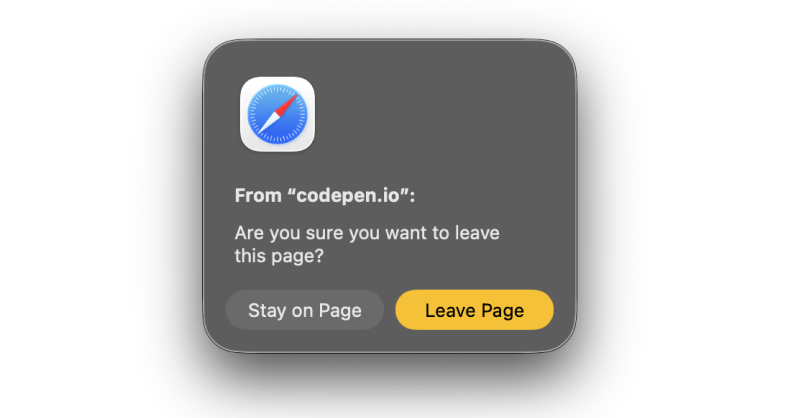
The beforeunload event fires when a user is navigating from one HTML document to another (or closing the browser window or tab) — it doesn’t work for soft navigations. By contrast, the navigate event can be used to implement similar functionality for both cross-document and same-document navigations. Calling preventDefault() on the navigate event will not prevent a user from closing the window or tab or from navigating by typing a URL directly into the address bar, but will prevent all other forms of navigation, both user-initiated (clicking links) and programmatic (History API, Navigation API, location, etc).
navigation.addEventListener('navigate', function(event) {
    if (!event.cancelable) return; // don't attempt to prevent the navigation if it cannot be prevented.
    if (shouldWarnYou()) {
    event.preventDefault();
    }
});
Unlike the beforeunload event, a confirmation dialog is not shown by the browser, so the above code has trapped the user with no obvious option to proceed with their navigation (although clicking the back key multiple times will override .preventDefault()). You’ll need to implement a dialog yourself — which means you have full control over the styling and text content of the dialog.
Click the button to see this in action (this blog does not use client-side routing, so this demo does not have full parity with how this would work in a SPA: the back and forward buttons won’t bring up the modal, because cross-document traversals can’t be prevented).
The Navigation API is primarily focused on same-origin navigations. You can’t intercept a navigation to a different website, for example. That same-origin limit doesn’t apply to cancelling a navigation, so the dialog will show for both of the above links.
Calling .preventDefault() on the navigate event prevents the beforeunload event from firing, so you can use both approaches without worrying about both dialogs appearing at the same time.
The fact that the dialogs don’t look the same isn’t ideal, but is unavoidable.